Web API Samples
This guide is designed to show that @nativescript/canvas follows the same mental model as web Canvas APIs.
Visual output preview
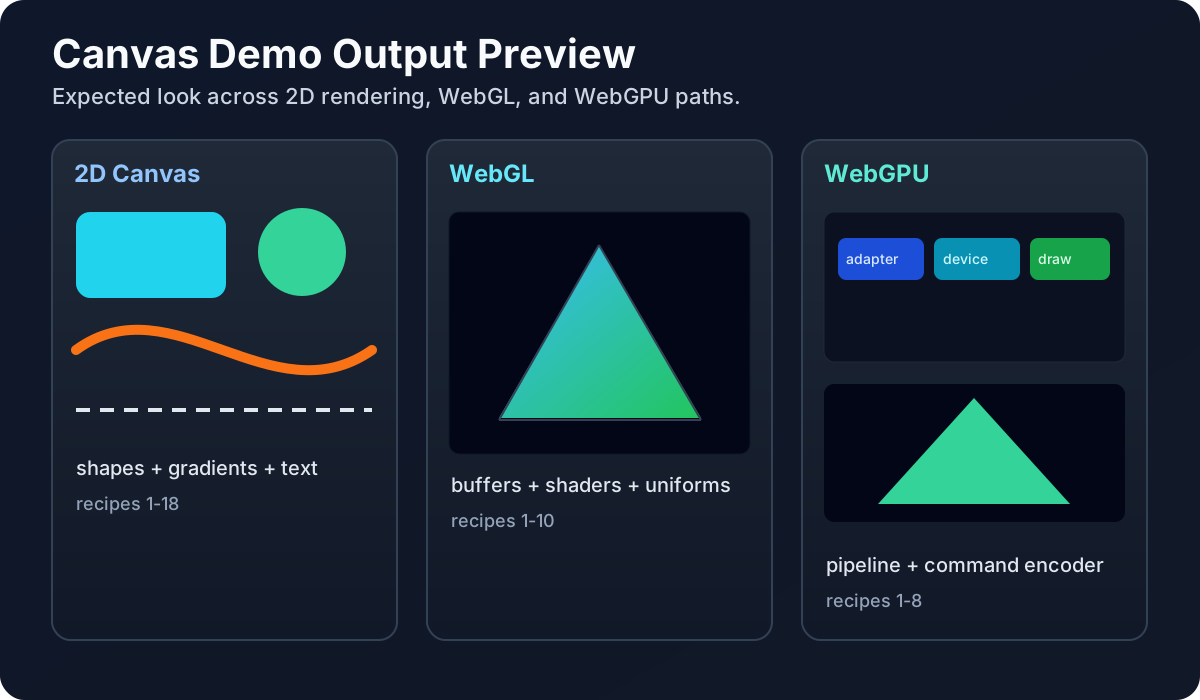
What you should expect while running these samples:
- The 2D path shows crisp shapes, curves, gradients, and text.
- The WebGL path shows shader-driven geometry, usually starting with a colored triangle.
- The WebGPU path shows pipeline-based rendering with clear pass + draw submission.
1. Minimal setup (canvasReady)
ts
let canvas;

export function canvasReady(args) {
  canvas = args.object;
  const ctx = canvas.getContext('2d');
  ctx.fillStyle = '#22c55e';
  ctx.fillRect(20, 20, 120, 80);
}
2. Device-pixel-ratio scaling for crisp rendering
ts
import { Screen } from '@nativescript/core';

function fitCanvasToDevicePixels(canvas) {
  const dpr = Screen.mainScreen.scale;
  canvas.width = canvas.clientWidth * dpr;
  canvas.height = canvas.clientHeight * dpr;

  const ctx = canvas.getContext('2d');
  ctx.setTransform(dpr, 0, 0, dpr, 0, 0);
}
3. Context selection follows web conventions
ts
const ctx2d = canvas.getContext('2d');
const gl = canvas.getContext('webgl');
const gl2 = canvas.getContext('webgl2');
const gpu = canvas.getContext('webgpu');
4. Exporting rendered output
ts
const pngDataUrl = canvas.toDataURL('image/png');
console.log('png length', pngDataUrl.length);
5. Snapshotting rendered output
ts
const imageSource = canvas.snapshot();
if (imageSource) {
  console.log('snapshot ok');
}
6. Event style mirrors browser-like patterns
ts
canvas.addEventListener('touchstart', (ev) => {
  console.log('touchstart', ev.type);
});

canvas.addEventListener('pointermove', (ev) => {
  console.log('pointermove', ev.type);
});
7. Draw loop pattern with interval or RAF-like scheduling
ts
let angle = 0;
const ctx = canvas.getContext('2d');

const timer = setInterval(() => {
  angle += 0.05;
  ctx.clearRect(0, 0, canvas.width, canvas.height);

  const x = 120 + Math.cos(angle) * 70;
  const y = 120 + Math.sin(angle) * 70;

  ctx.beginPath();
  ctx.arc(x, y, 12, 0, Math.PI * 2);
  ctx.fill();
}, 16);

setTimeout(() => clearInterval(timer), 3000);
8. Path2D and DOMMatrix imports are web-like
ts
import { Path2D, DOMMatrix } from '@nativescript/canvas';

const path = new Path2D();
path.rect(20, 20, 100, 50);

const matrix = new DOMMatrix();
matrix.translateSelf(10, 20);
9. WebGL setup pattern (clear + viewport)
ts
const gl = canvas.getContext('webgl');

if (gl) {
  gl.viewport(0, 0, gl.drawingBufferWidth, gl.drawingBufferHeight);
  gl.clearColor(0.08, 0.1, 0.16, 1);
  gl.clear(gl.COLOR_BUFFER_BIT | gl.DEPTH_BUFFER_BIT);
}
10. WebGPU setup pattern (adapter -> device -> context)
ts
import type { GPUAdapter, GPUDevice } from '@nativescript/canvas';

const adapter: GPUAdapter = (await navigator.gpu.requestAdapter()) as never;
const device: GPUDevice = (await adapter.requestDevice()) as never;

const context = canvas.getContext('webgpu');
const format = navigator.gpu.getPreferredCanvasFormat();

context.configure({ device, format, alphaMode: 'premultiplied' });
11. Explicit flush when needed
ts
const ctx = canvas.getContext('2d');
ctx.fillRect(0, 0, 32, 32);
canvas.flush();
12. 2D + WebGL + WebGPU side-by-side mindset
ts
// Same canvas element, different context depending on your rendering path.
const mode = '2d'; // '2d' | 'webgl' | 'webgpu'
const context = canvas.getContext(mode);