Canvas 2D Recipes
All examples below use familiar Canvas 2D APIs.
Visual output preview
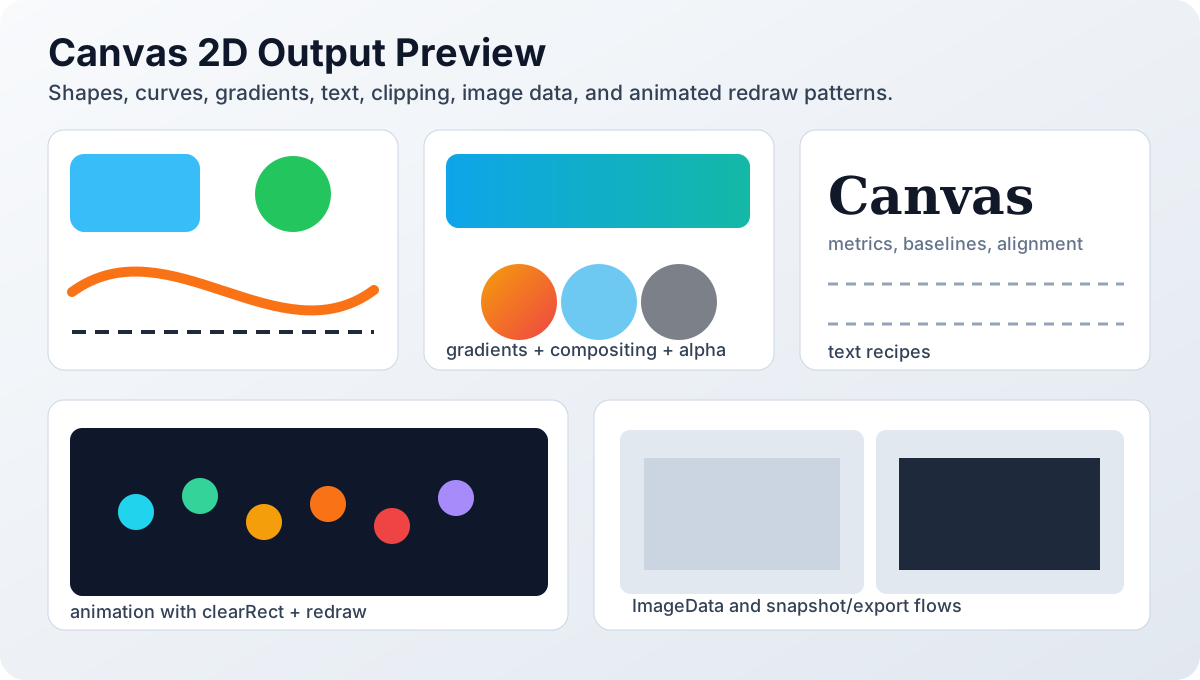
Use this as a visual target while running the recipes: gradients should be smooth, path edges should be clean, and animation samples should show continuous motion without frame jumps.
Shared setup
let canvas;
let ctx;

export function canvasReady(args) {
  canvas = args.object;
  ctx = canvas.getContext('2d');
}
Equivalent browser DOM setup:
<canvas id="demo" width="320" height="220"></canvas>const canvas = document.getElementById('demo');
const ctx = canvas.getContext('2d');1. Filled + stroked rectangles
ctx.fillStyle = '#0ea5e9';
ctx.fillRect(20, 20, 140, 80);
ctx.strokeStyle = '#1e293b';
ctx.lineWidth = 3;
ctx.strokeRect(20, 20, 140, 80);Live demo:
Demo is hidden by default. Click Show demo to render this recipe.
Browser DOM canvas equivalent:
const canvas = document.getElementById('demo');
const ctx = canvas.getContext('2d');
ctx.fillStyle = '#0ea5e9';
ctx.fillRect(20, 20, 140, 80);

ctx.strokeStyle = '#1e293b';
ctx.lineWidth = 3;
ctx.strokeRect(20, 20, 140, 80);2. Rounded rectangle path
ctx.beginPath();
ctx.roundRect(24, 24, 180, 100, 16);
ctx.fillStyle = '#fde047';
ctx.fill();
Live demo:
Demo is hidden by default. Click Show demo to render this recipe.
3. Circle and arc drawing
ctx.beginPath();
ctx.arc(120, 120, 50, 0, Math.PI * 2);
ctx.fillStyle = '#22c55e';
ctx.fill();

ctx.beginPath();
ctx.arc(120, 120, 70, 0, Math.PI);
ctx.strokeStyle = '#ef4444';
ctx.stroke();
Live demo:
Demo is hidden by default. Click Show demo to render this recipe.
4. Line caps and joins
ctx.beginPath();
ctx.moveTo(20, 20);
ctx.lineTo(80, 80);
ctx.lineTo(140, 20);
ctx.lineWidth = 14;
ctx.lineCap = 'round';
ctx.lineJoin = 'round';
ctx.strokeStyle = '#8b5cf6';
ctx.stroke();
Live demo:
Demo is hidden by default. Click Show demo to render this recipe.
5. Cubic and quadratic curves
ctx.beginPath();
ctx.moveTo(30, 130);
ctx.quadraticCurveTo(120, 20, 220, 130);
ctx.strokeStyle = '#0f766e';
ctx.stroke();

ctx.beginPath();
ctx.moveTo(30, 170);
ctx.bezierCurveTo(80, 60, 180, 260, 240, 170);
ctx.strokeStyle = '#b91c1c';
ctx.stroke();
Live demo:
Demo is hidden by default. Click Show demo to render this recipe.
6. Linear gradient fill
const gradient = ctx.createLinearGradient(0, 0, 220, 0);
gradient.addColorStop(0, '#0ea5e9');
gradient.addColorStop(0.5, '#6366f1');
gradient.addColorStop(1, '#ec4899');

ctx.fillStyle = gradient;
ctx.fillRect(20, 20, 220, 80);
Live demo:
Demo is hidden by default. Click Show demo to render this recipe.
7. Radial gradient glow
const glow = ctx.createRadialGradient(140, 140, 8, 140, 140, 90);
glow.addColorStop(0, 'rgba(255,255,255,0.95)');
glow.addColorStop(1, 'rgba(59,130,246,0.05)');

ctx.fillStyle = glow;
ctx.fillRect(40, 40, 200, 200);
Live demo:
Demo is hidden by default. Click Show demo to render this recipe.
8. Text rendering and metrics
ctx.font = '600 22px sans-serif';
ctx.textAlign = 'left';
ctx.textBaseline = 'top';
ctx.fillStyle = '#0f172a';
ctx.fillText('NativeScript Canvas', 20, 24);

const m = ctx.measureText('NativeScript Canvas');
console.log('text width', m.width);
Live demo:
Demo is hidden by default. Click Show demo to render this recipe.
9. Dashed strokes
ctx.setLineDash([10, 6]);
ctx.lineDashOffset = 0;
ctx.strokeStyle = '#f97316';
ctx.lineWidth = 4;

ctx.beginPath();
ctx.moveTo(20, 80);
ctx.lineTo(260, 80);
ctx.stroke();

ctx.setLineDash([]);
Live demo:
Demo is hidden by default. Click Show demo to render this recipe.
10. Save/restore + transforms
ctx.save();
ctx.translate(160, 120);
ctx.rotate(Math.PI / 6);
ctx.scale(1.2, 0.8);

ctx.fillStyle = '#e11d48';
ctx.fillRect(-60, -40, 120, 80);
ctx.restore();
Live demo:
Demo is hidden by default. Click Show demo to render this recipe.
11. Path2D reuse
import { Path2D } from '@nativescript/canvas';

const star = new Path2D();
star.moveTo(100, 20);
star.lineTo(120, 80);
star.lineTo(185, 80);
star.lineTo(132, 118);
star.lineTo(152, 180);
star.lineTo(100, 140);
star.lineTo(48, 180);
star.lineTo(68, 118);
star.lineTo(15, 80);
star.lineTo(80, 80);
star.closePath();

ctx.fillStyle = '#f59e0b';
ctx.fill(star);
Live demo:
Demo is hidden by default. Click Show demo to render this recipe.
12. Clipping region
ctx.save();
ctx.beginPath();
ctx.arc(140, 140, 80, 0, Math.PI * 2);
ctx.clip();

for (let i = 0; i < 8; i++) {
  ctx.fillStyle = i % 2 ? '#2563eb' : '#93c5fd';
  ctx.fillRect(i * 36, 0, 24, 280);
}

ctx.restore();
Live demo:
Demo is hidden by default. Click Show demo to render this recipe.
13. Draw image with ImageAsset
import { ImageAsset } from '@nativescript/canvas';

const image = new ImageAsset();
await image.fromFile('~/assets/images/avatar.png');

ctx.drawImage(image, 20, 20, 96, 96);
Live demo:
Demo is hidden by default. Click Show demo to render this recipe.
14. Pixel processing (ImageData)
const imageData = ctx.getImageData(0, 0, canvas.width, canvas.height);
const data = imageData.data;

for (let i = 0; i < data.length; i += 4) {
  data[i] = 255 - data[i];
  data[i + 1] = 255 - data[i + 1];
  data[i + 2] = 255 - data[i + 2];
}

ctx.putImageData(imageData, 0, 0);
Live demo:
Demo is hidden by default. Click Show demo to render this recipe.
15. Compositing modes
ctx.fillStyle = '#0ea5e9';
ctx.fillRect(20, 20, 120, 120);

ctx.globalCompositeOperation = 'multiply';
ctx.fillStyle = '#f43f5e';
ctx.fillRect(80, 80, 120, 120);

ctx.globalCompositeOperation = 'source-over';
Live demo:
Demo is hidden by default. Click Show demo to render this recipe.
16. Shadows and blur effects
ctx.shadowColor = 'rgba(15,23,42,0.25)';
ctx.shadowBlur = 18;
ctx.shadowOffsetX = 6;
ctx.shadowOffsetY = 8;

ctx.fillStyle = '#ffffff';
ctx.fillRect(28, 28, 200, 100);

ctx.shadowColor = 'transparent';
Live demo:
Demo is hidden by default. Click Show demo to render this recipe.
17. Stateful animation with clear + redraw
let t = 0;
const timer = setInterval(() => {
  t += 0.03;
  ctx.clearRect(0, 0, canvas.width, canvas.height);

  const x = 120 + Math.cos(t) * 90;
  const y = 120 + Math.sin(t * 1.4) * 60;

  ctx.beginPath();
  ctx.arc(x, y, 14, 0, Math.PI * 2);
  ctx.fillStyle = '#10b981';
  ctx.fill();
}, 16);

setTimeout(() => clearInterval(timer), 3500);
Live demo:
Demo is hidden by default. Click Show demo to render this recipe.
18. Export PNG
const dataUrl = canvas.toDataURL('image/png');
console.log('png export', dataUrl.slice(0, 32));